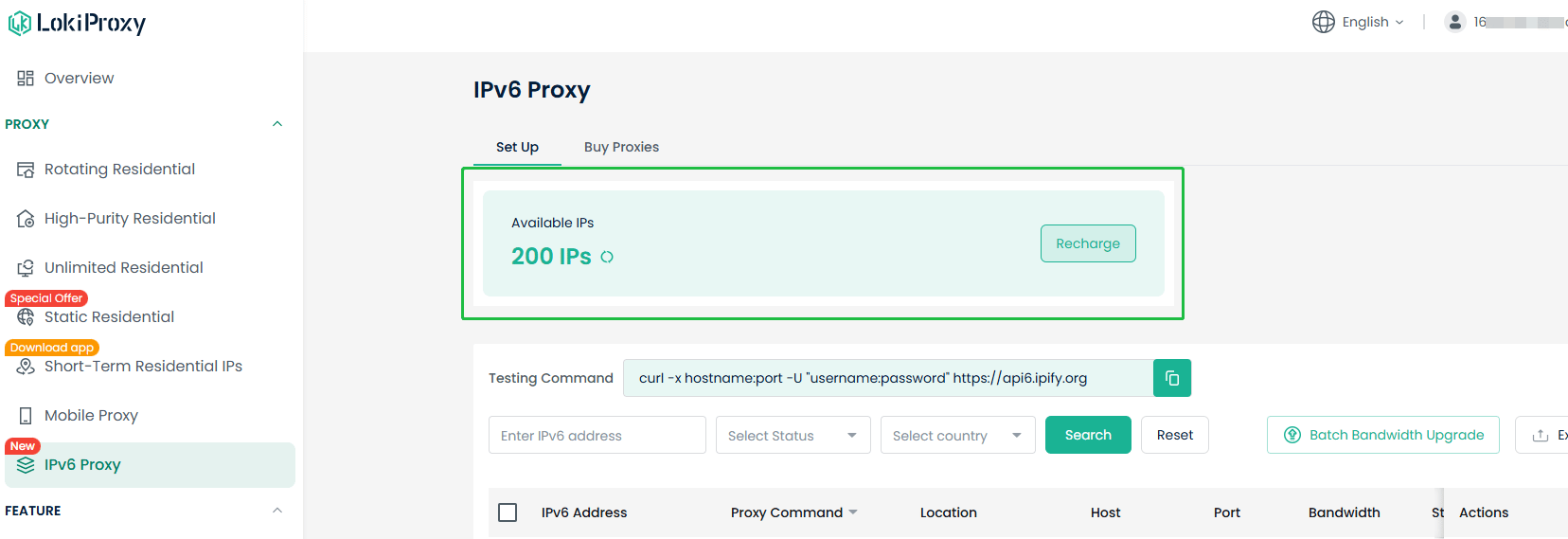
After purchasing IPv6 proxies, you can view them under Dashboard > IPv6 Proxy > Available IPs.
When an IP expires, your available IP count will decrease accordingly.
Each IP comes with dedicated bandwidth, which you can select and upgrade as needed. IPs are renewable for worry-free long-term use.
Steps:
- Go to Dashboard - “IPv6 Proxy”
- Check your available IP count on the “Set Up” page, which shows the number of IPs remaining for export.
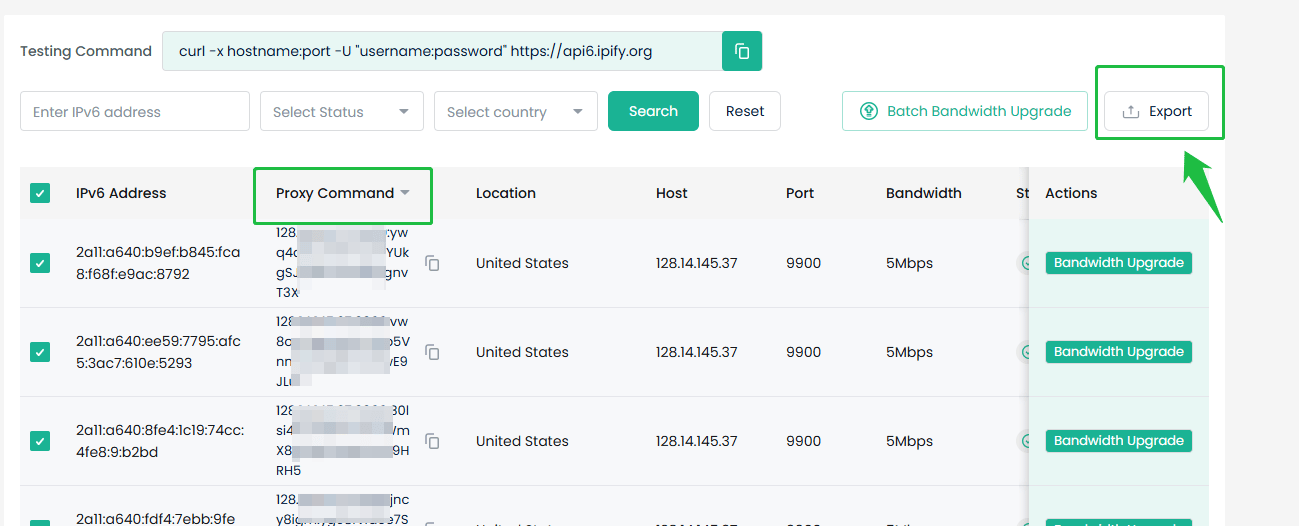
- Select the IP address you want to use, then paste the copied “Proxy Command” into your application or tool to complete the setup.
How to Upgrade Bandwidth?
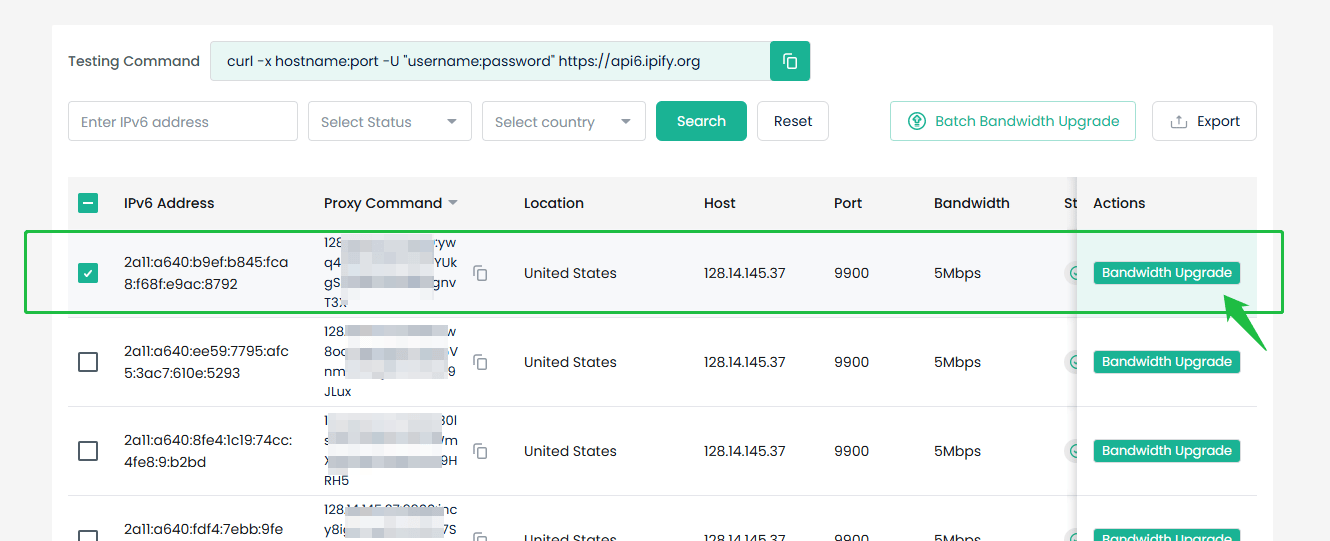
You can flexibly choose single-IP upgrade or batch bandwidth upgrade based on your actual needs. Single-IP Upgrade:- Select the IPv6 address you want to upgrade, then click “Bandwidth Upgrade .”
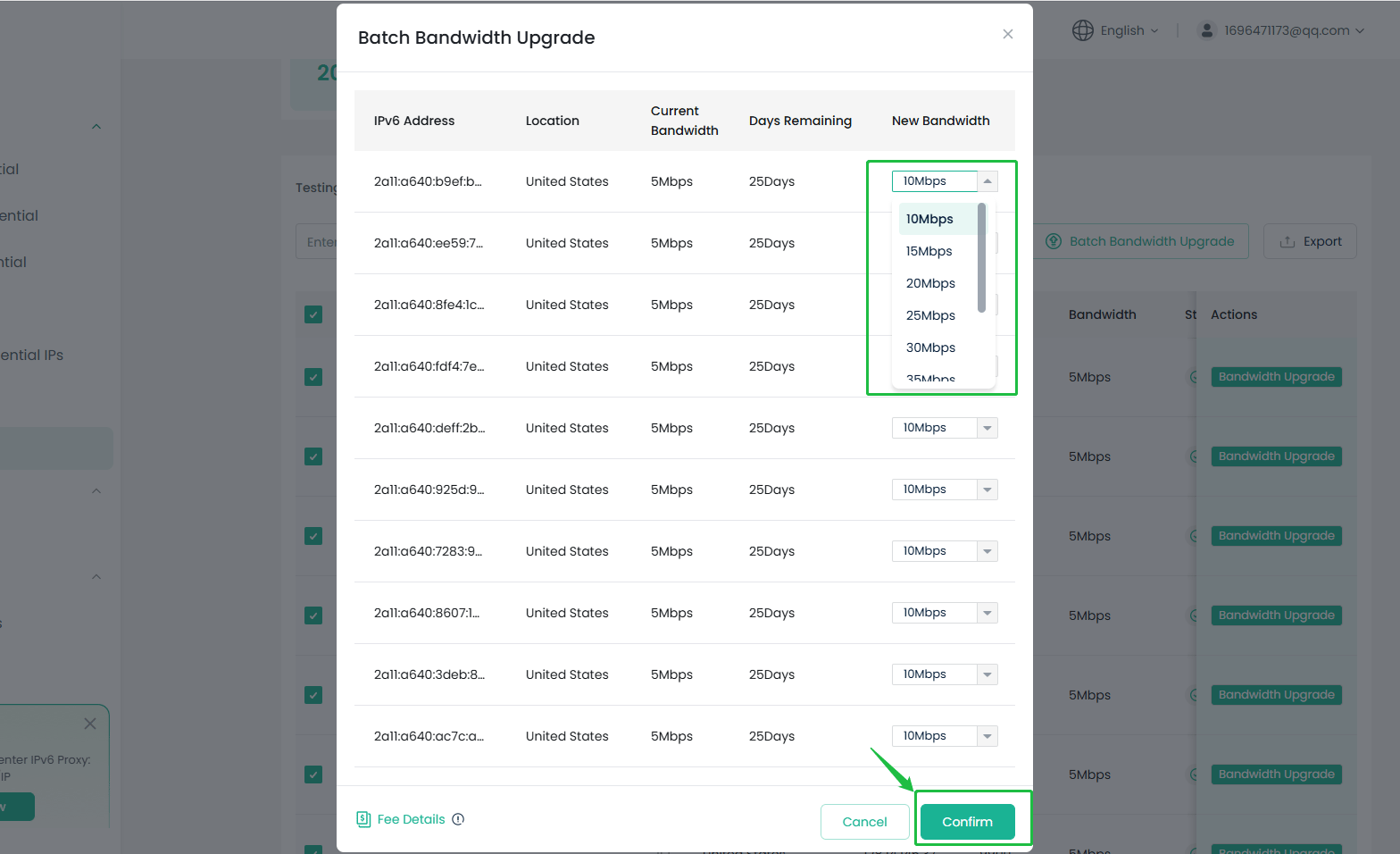
- Click the dropdown menu, select the bandwidth cap you want to upgrade to (up to 50Mbps), then click “Confirm.”
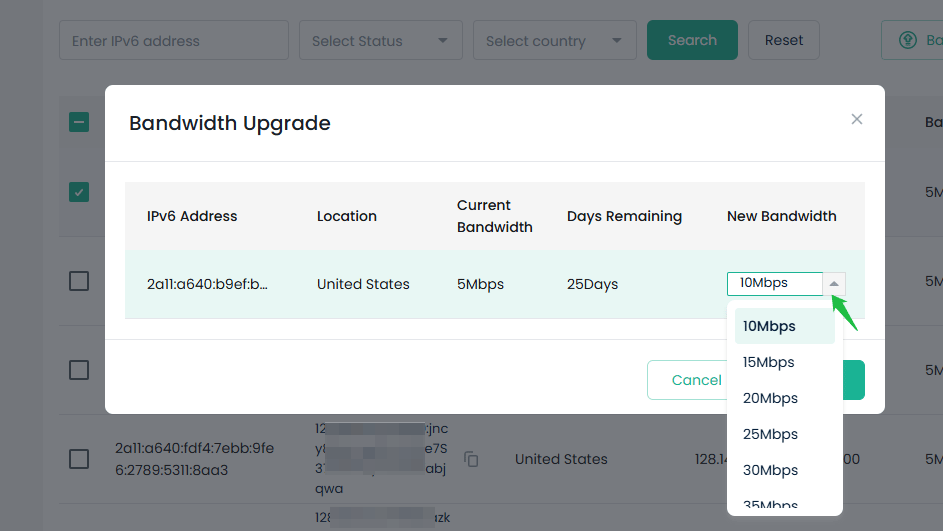
- Check “IPv6 Address,” then click “Batch Bandwidth Upgrade.”
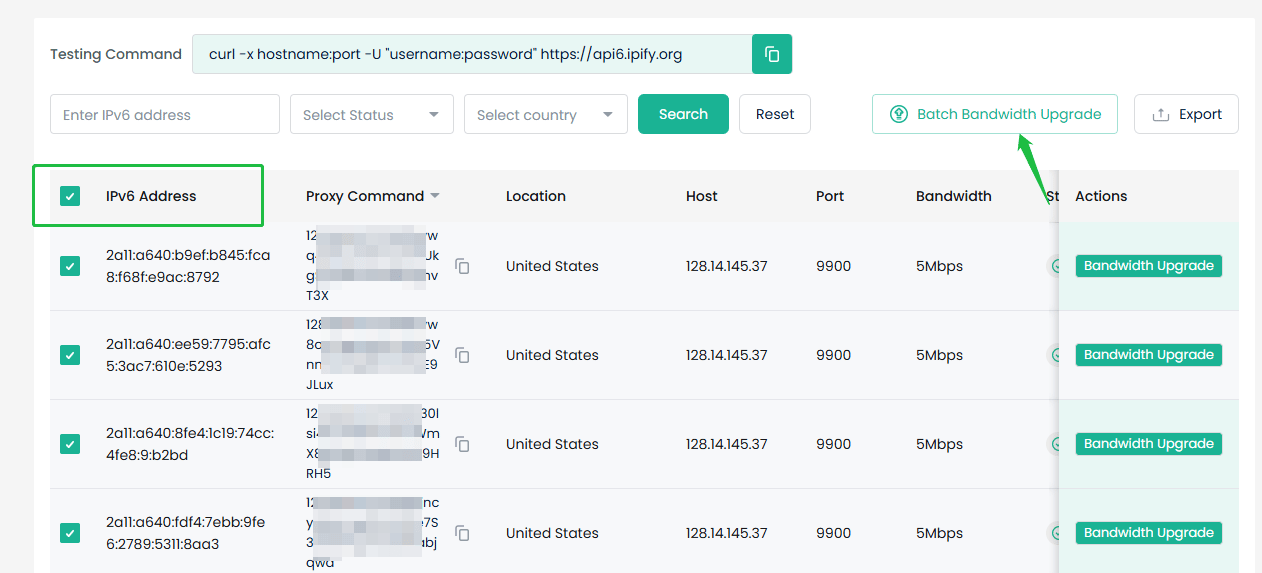
- You can upgrade the desired bandwidth cap for each IPv6 address individually. Once confirmed, click “Confirm.”