Accessing Proxies via API
- Go to Dashboard - [Rotating Residential/ High-Purity Residential]
- Choose “API (IP Whitelist)” and click “Proxy Setup”
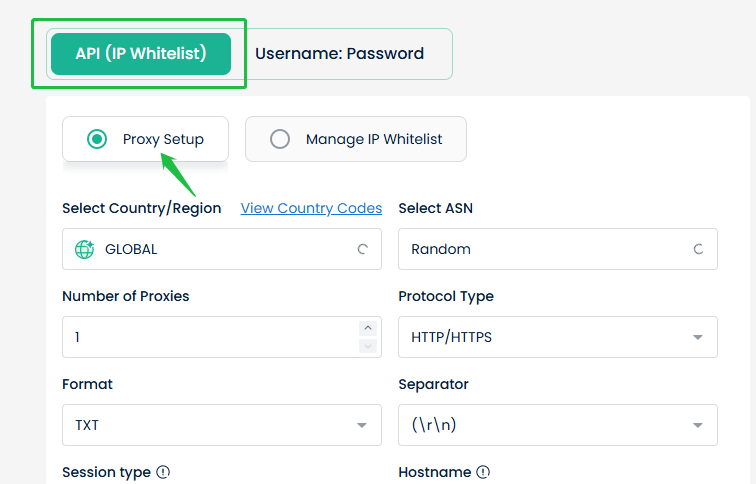
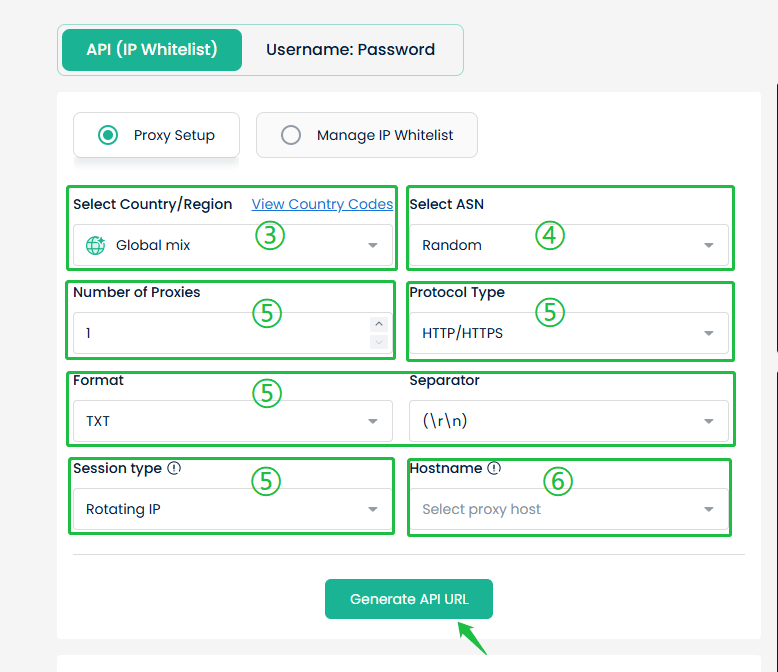
- Select the desired country/region or opt for “Global Mix”
- Decide whether to enable the ASN configuration feature based on your actual needs.
- Enter the number of Proxies to extract (up to 900)Configure as needed: “Protocol Type”, “Format”, “Separator”, and “Session Type”
- Select a “Hostname”. For optimal connectivity, choose the server closest to your network IP address
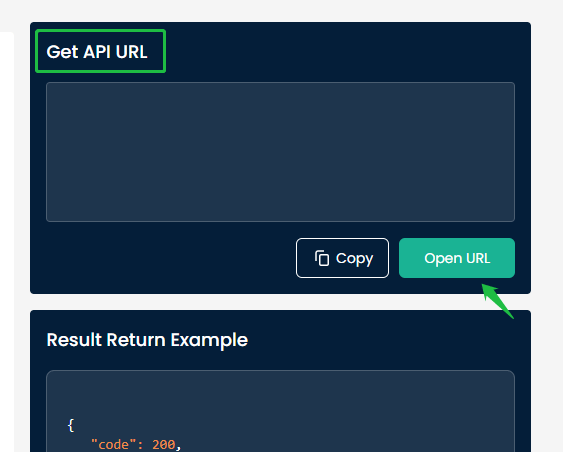
- Click “Generate API URL” to display the link in the “Get API URL” section on the right
- Click “Open URL” to view the available proxy list
Accessing Proxies via Username/Password
- Go to Dashboard - [Rotating Residential/ High-Purity Residential]
- Choose “Username:Password” and click “Proxy Setup”
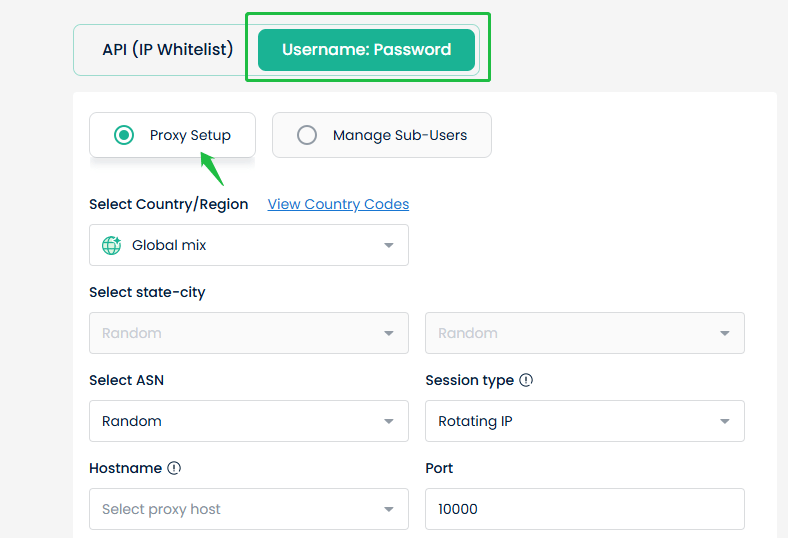
- Select your desired country/region, state-city, or choose random
- Decide whether to enable the ASN configuration feature based on your actual needs
- Choose a “Session Type”:
“Rotating IP”: Changes IP with each request
“Sticky IP”: Allows setting a specific IP duration
- Select a “Hostname”. For the best connection, choose the server nearest to your network IP address
- Select the “Sub-user” for proxy access
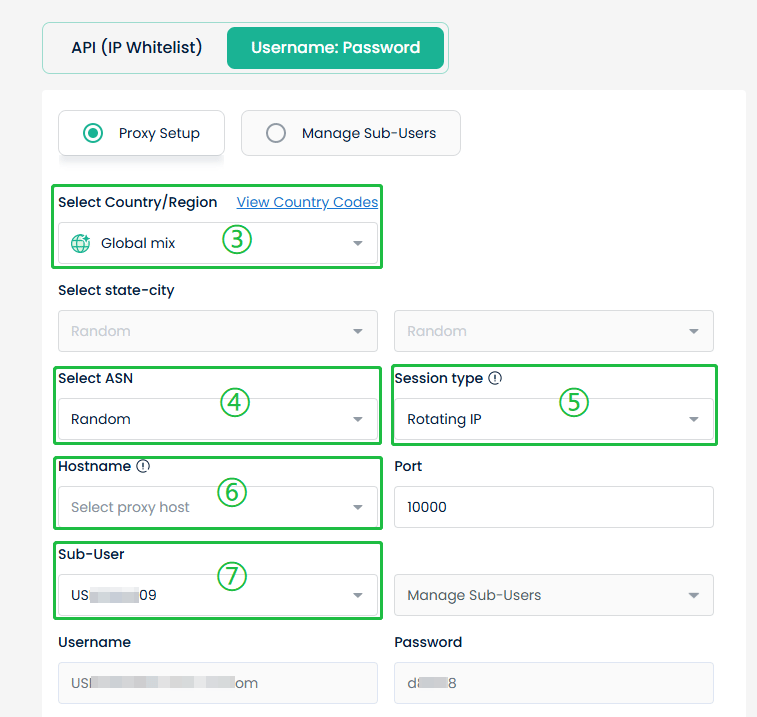
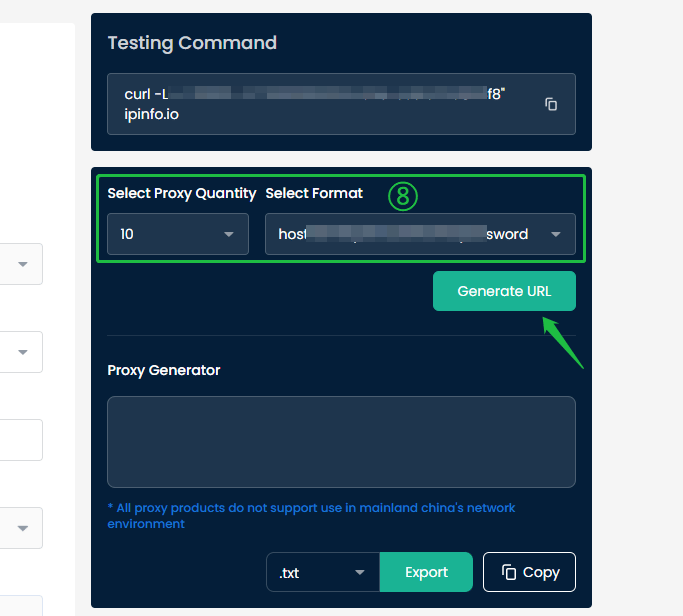
- Finally, choose the number of proxies and format in the right panel, then click “Generate URL” to get the available proxy list in the “Proxy Generator”.